Tasks

Get more client projects done

Stay on top of every task and stay on track with every project. Plan, break down each step, hit deadlines, and make your team and clients smile.

Get Started—it's FREE
No credit card required, cancel any time
A man holds a bell while a woman presents a check, symbolizing a financial transaction or celebration.

See your projects from every angle

Switch from a Kanban board to Table, or Calendar and let your team and clients work the way they want

Screenshot of a website dashboard displaying various metrics and navigation options for user management and analytics.
Kanban boards

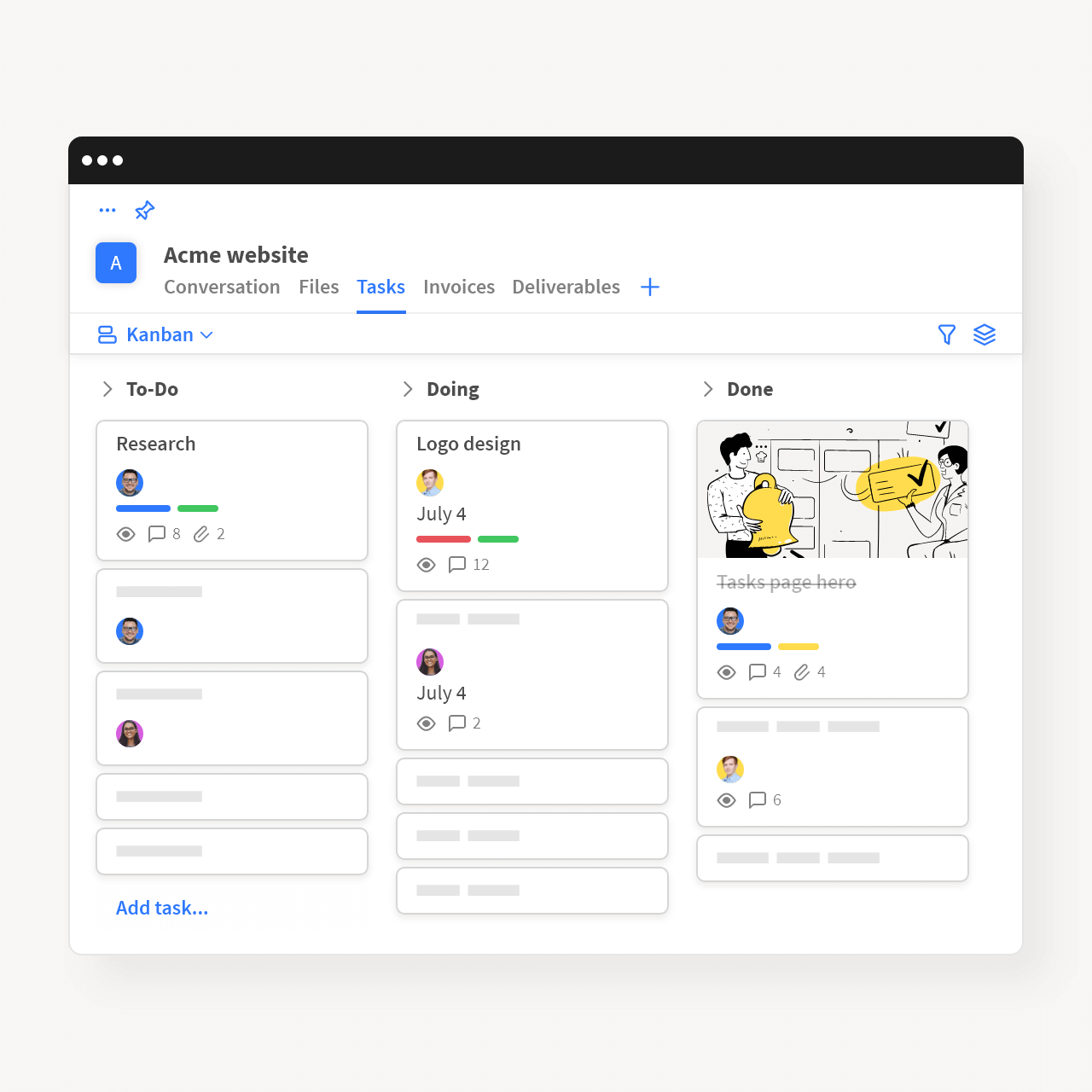
Visualize your work with Kanban boards

See the work that needs to get done in easy to follow vertical sections like To-Do, Doing and Done. Track project progress, prioritize tasks, and spot roadblocks. Let your clients see how you move tasks forward, and their projects comes to life.
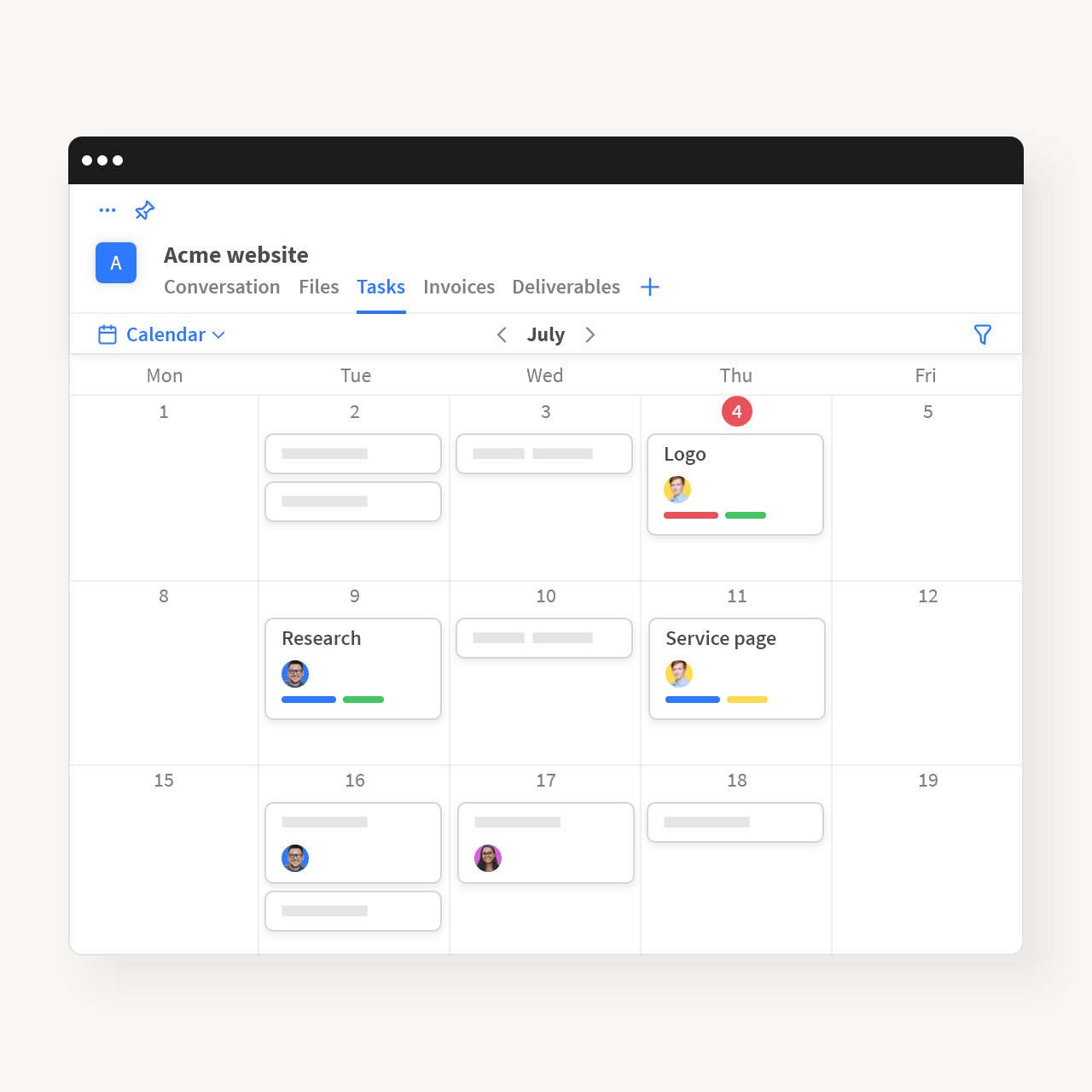
A calendar displaying a list of tasks alongside the monthly view of dates.
Calendar

Never miss a deadline with Calendar

Organize tasks by deadline and see them all on a shared calendar. Easily reorganize work by simply dragging tasks between dates. Use Calendar to plan features, schedule milestones, and get a clear vision of what work lies ahead, so you never miss a deadline.

Screenshot of the Google Calendar app displaying a monthly view with scheduled events highlighted.
Table

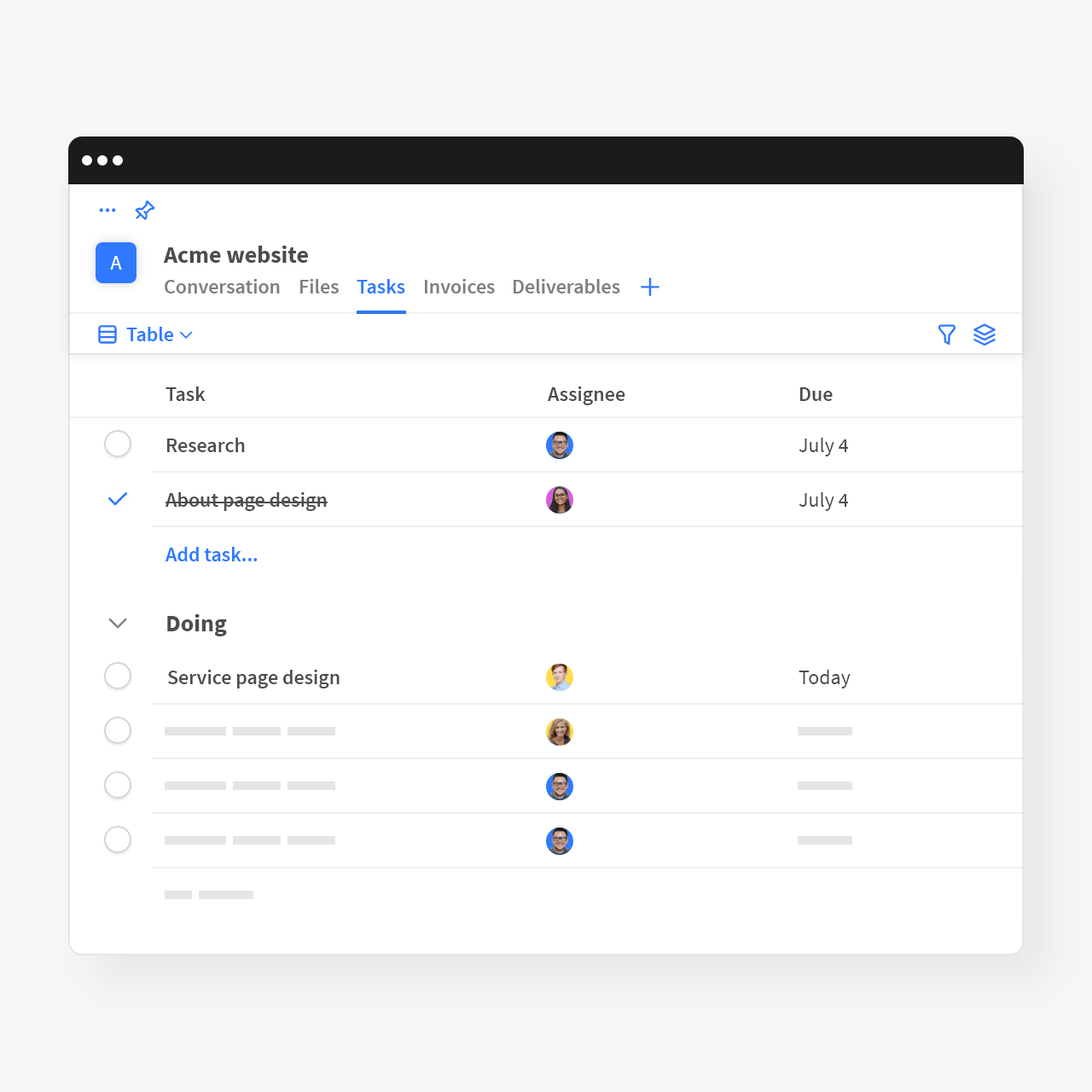
View tasks as a spreadsheet with Table

Organize work, assign tasks, customize columns and sections. Your team and clients can easily see which tasks are priority, and when the work is due.

Free for freelancers & tiny teams

Get ready to change the way you work with clients, forever.

Get Started—it's FREE

No credit card required, cancel any time

Even more features

  • Subtasks

    Break down big, complex tasks into small, manageable pieces and make progress visible at a glance.

  • Comments

    Discuss tasks, share files and links. Provide feedback to your team, get comments from clients, and move work forward.

  • Client Assignments

    Need some project files from clients? Or, the contract signed? Assign them tasks, so they know exactly what they need to do.

  • Boards Visibility

    Create private-to-your-team boards when you don't want to share all the small details. Use separate boards to collaborate with clients.

  • Time Tracking

    Add task estimates, and record time spent, so your team and clients know where projects stand.

  • Custom Fields

    Add extra information to your tasks like status, type, label, or anything really. Organize your tasks your way.

  • Custom Groups

    Group tasks by assignee, section and more, and organize your work by whatever makes sense for your workflow.

  • Filters

    Filter tasks by status, assignee and more, and see only what's important for you to see.

  • Mentions

    Mention team members and clients and work together on tasks.

Acme.inc is what Slack wishes it could be: highly collaborative but without all the disruption. It's changed the way we interact with clients, contractors and employees at every level of our projects.

Jane Doe

CEO @ Media Contour

A person wearing a black shirt sits in a dimly lit room, surrounded by soundproofing materials and a microphone.

See everything Acme can do

Illustration of a person smiling at a laptop, surrounded by heart icons. A clock on the wall reads 10:10, suggesting a late night.
Get Started Today

Change the way you work with clients forever

Get Started—it's FREE

No credit card required, cancel any time